
From Page Element to Content System: Rethinking FAQs in Webflow
Most FAQs start as an afterthought bolted onto a page. This piece looks at what changes when they become reusable, CMS-driven content — and why context, not rich results, is now the real SEO, AEO, and GEO payoff.

In brief
FAQs are most useful when they answer real questions in the context where those questions arise. Instead of treating them only as static page blocks, a site can manage them as structured CMS content: reusable, governed, accessible, and connected to relevant articles, services, products, or resources.
The goal is not necessarily to create more FAQ pages. It is to place better answers where they help visitors move forward, while giving editors a clearer way to maintain those answers over time.
Most website FAQs begin as a practical afterthought. A team hears the same questions often enough, writes down the answers, and places them near the bottom of a page. The pattern is familiar: a heading, a stack of questions, and a set of expandable answers.
There is nothing wrong with that format. A static FAQ can be useful when a page is narrow, the questions rarely change, and the answers belong only in that one place. The problem appears later, when the site grows around it.
The same installation question appears on a product page, a support article, and a sales enablement page. A compliance answer changes, but only one instance is updated. A technical note is rewritten for a blog post, then rewritten again for a solution page. Search engines and AI systems encounter fragments of the same answer in different places. Visitors see different versions depending on the path they took through the site.
At that point, the FAQ is no longer just a design component. It has become content infrastructure, whether or not the site has been designed to treat it that way.
A static FAQ answers a local need
The traditional FAQ block works best when it is intentionally local. It belongs to a specific page, supports a specific conversion or learning moment, and can be maintained by the same person who owns the surrounding content.
For a landing page, this might be enough. A few questions about pricing, timing, eligibility, or next steps can remove friction without asking the visitor to leave the page. For a short campaign, a static FAQ may be the most efficient choice.
But static FAQs begin to strain when they are used as the main place a site stores recurring knowledge. They create several quiet problems:
- Answers are duplicated across pages.
- Updates depend on someone remembering every place an answer appears.
- Related product, article, service, and solution pages stay disconnected.
- Accessibility behavior may vary from one FAQ block to another.
- Search intent is split across thin pages, repeated content, and unstructured archives.
- Teams lose a clear view of which questions have been answered, reviewed, or retired.
The issue is not the accordion itself. The issue is that the content has no durable structure behind it.
A CMS-driven FAQ becomes reusable content
A more useful approach is to treat FAQs as reusable CMS content that can appear in context across the site.
In Webflow, this usually means creating one or more FAQ Collections, then connecting FAQ items to the pages where they are most useful. Webflow's CMS supports Collection fields, including reference and multi-reference fields, which allow one Collection item to relate to another. That makes it possible to store an answer once, then display it selectively across blog posts, product pages, service pages, solution pages, documentation pages, or other technical resources.
The point is not to create a large public FAQ library by default. The stronger pattern is contextual reuse.
For example, a technical FAQ about battery life might appear on a hardware product page, in a deployment guide, and inside a relevant article. A question about monitoring cadence might appear on a solution page and in a technical resource. A sales objection might appear near a call to action, but only where that objection naturally matters.
The answer becomes a shared source of truth. The page still feels specific because the FAQ is selected for that context, not dumped into a generic archive.
The collection model should match the content
There is no single correct collection model for FAQ content. Some sites can manage questions well with one carefully structured FAQ Collection. Others may benefit from separating article-specific questions from more reusable technical, product, service, or solution questions.
The decision should come from how the content behaves:
- Does the question support only one article, or could the same answer help across several pages?
- Does the answer need a long review cycle because it involves technical, legal, product, or service accuracy?
- Will the answer appear on product, solution, service, article, and documentation pages?
- Who owns the answer after publication?
- Would editors benefit from separating article-support questions from reusable technical knowledge?
For some sites, one FAQ Collection with strong fields, categories, statuses, and references may be enough. For others, two collections may be clearer:
- Article FAQs for questions that support a specific post or resource.
- Reusable FAQs for product, service, software, hardware, implementation, support, application, or solution questions that can appear in several places.
This is not a rule. It is a modeling choice. The useful distinction is whether a question belongs mainly to one piece of content or whether it should become part of the site's broader knowledge system.
The CMS model should describe how the answer will be used
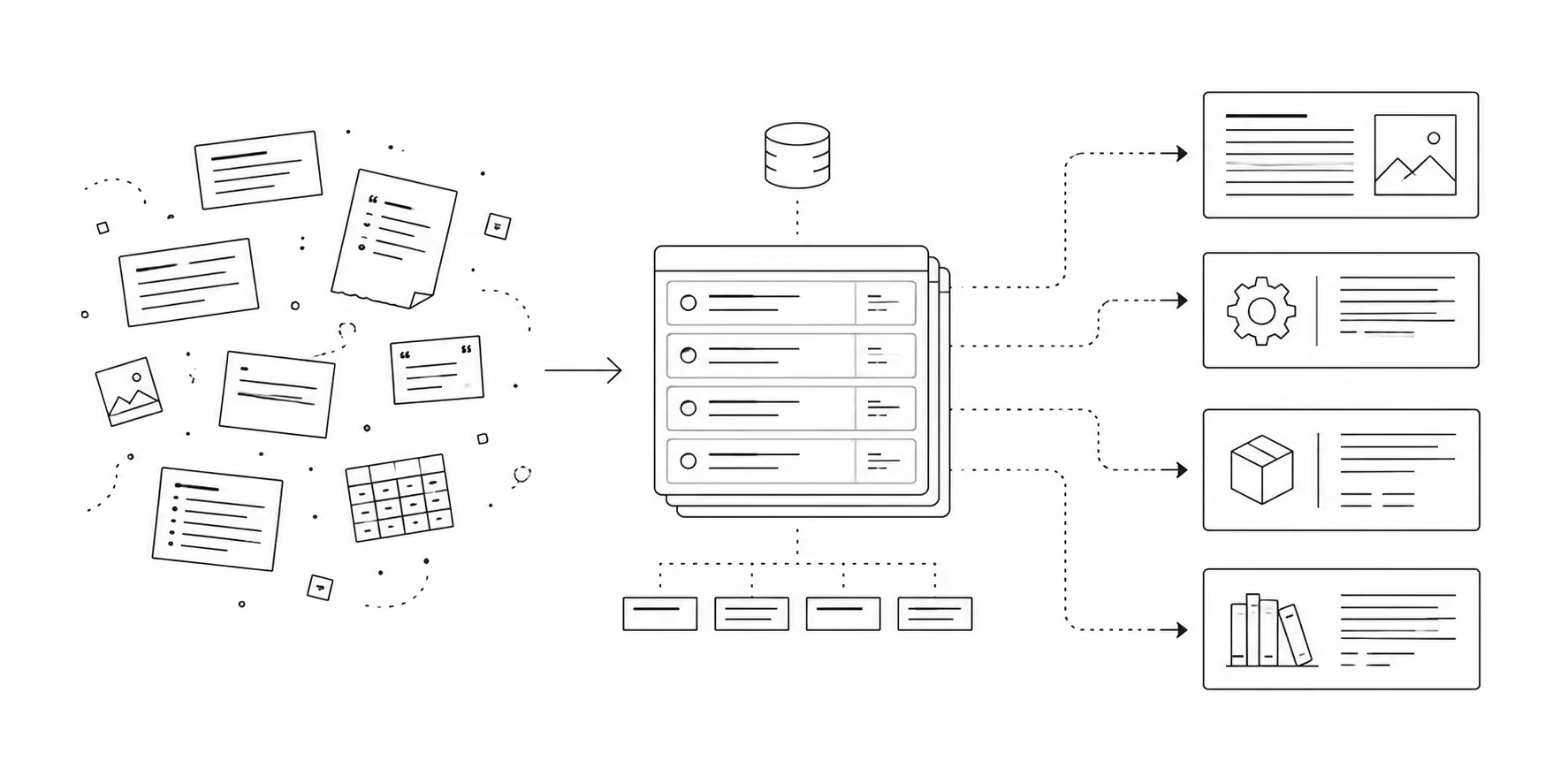
An FAQ Collection should not be limited to "question" and "answer." Those fields are necessary, but they are not enough to govern the content over time.
A practical FAQ Collection might include:
- Question: the visitor-facing question.
- Short answer: a concise response for compact page placements.
- Expanded answer: a fuller answer for pages where more detail is useful.
- Topic or category: product, service, software, hardware, monitoring, compliance, pricing, implementation, support, or another controlled taxonomy.
- Related products or services: reference or multi-reference fields connecting the FAQ to destination pages.
- Related articles: references to supporting editorial content.
- Audience: buyer, technical evaluator, customer, partner, internal editor, or another useful segment.
- Status: draft, needs review, approved, retired.
- Owner: the person or team responsible for accuracy.
- Review date: a date field for scheduled maintenance.
- Indexing preference: whether the FAQ item should have an indexable standalone page, a noindexed page, or no standalone page at all.
The exact fields should match the site's real content model. The important decision is to store enough context for editors to use the answer responsibly.
Webflow supports this kind of structure through CMS Collections and Collection fields. Reference fields connect one item to another, while multi-reference fields connect one item to several related items. Webflow's developer documentation also notes that reference and multi-reference fields can be populated through the CMS API when external workflows need to create or update those relationships.
Relevant Webflow documentation:
- Webflow Help: Collection fields
- Webflow Help: Reference Collection field
- Webflow Developer Documentation: Managing CMS Collections and Items
Context is the main SEO value
For several years, FAQ advice was shaped by the visibility of FAQ rich results in Google Search. That era is effectively over. Google's Search documentation updates state that FAQ rich results stopped appearing in Google Search starting May 7, 2026, and later notes the removal of the FAQ rich-result documentation.
That does not make FAQ content useless. It changes the reason for maintaining it.
A contextual FAQ system can still strengthen search visibility because it makes important pages more complete, specific, and internally connected. A product page that answers real pre-sales and technical questions is more useful than a product page that leaves those questions scattered across unrelated posts. A solution page that connects to relevant articles and answers can better express what the organization knows. A technical article that includes concise supporting answers may serve readers more effectively than one that assumes too much.
The value comes from visible content, clear structure, and useful relationships, not from expecting a special search-result treatment.
This is also why supporting FAQs can make sense at the article level. A strong article often raises adjacent questions: definitions, implementation details, decision points, constraints, or next steps. A short set of supporting FAQs can help answer those questions without forcing the reader into a separate support or knowledge-base path.
That does not mean every article needs an FAQ section. The better rule is optionality. Add FAQs when they clarify the article, support real search intent, or connect the reader to a useful next step. Leave them out when they would only repeat the article or create filler content.
Relevant Google documentation:
- Google Search Central: Documentation updates
- Google Search Central Blog: Changes to HowTo and FAQ rich results
Standalone FAQ URLs should be handled deliberately
When a Webflow CMS Collection has a Collection Page, each item can have its own URL. That is useful for many content types. It is not automatically useful for every FAQ item.
Most individual FAQ pages are too thin to deserve independent indexing. A single question and answer may help a visitor in the right context, but it may not be a strong standalone search result. If a site publishes hundreds of isolated FAQ URLs, it can create an index full of shallow pages while the more meaningful product, article, and solution pages receive less focus.
A better default is:
- Display FAQs contextually on the pages where they answer a real question.
- Avoid linking visitors into uncurated, thin FAQ item pages.
- Use
noindexfor standalone FAQ item pages unless they have enough substance and distinct search intent to stand alone. - Consider a curated FAQ knowledge hub only when it becomes a genuinely useful destination, with topic organization, explanatory introductions, internal links, and a reason to exist beyond listing every question.
Webflow currently supports disabling indexing for individual site pages and CMS items. Its documentation states that turning off Sitemap Indexing adds a noindex meta tag and removes the page or CMS item from the sitemap. For previously indexed URLs, Webflow also cautions that removing or blocking crawl access is not the same as removing content from an index.
Relevant Webflow documentation:
Accessibility belongs in the system, not the final pass
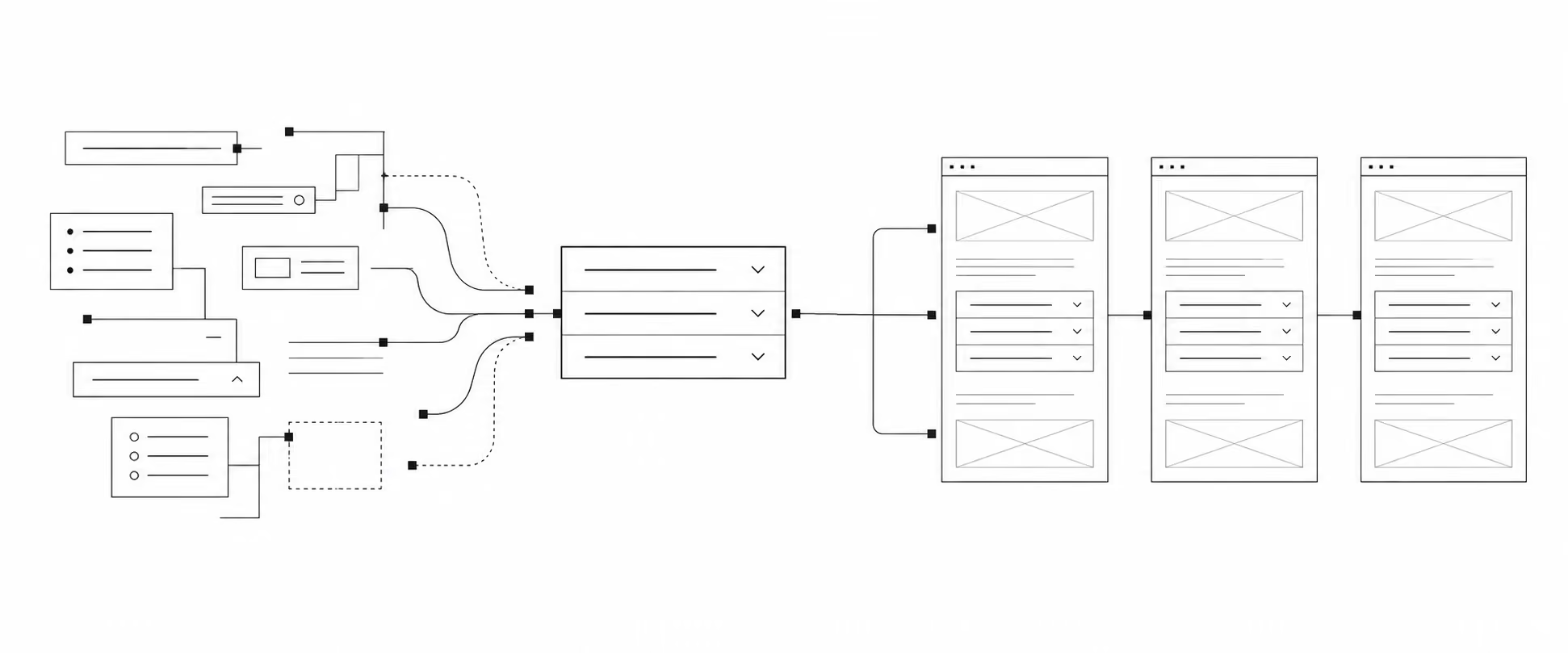
FAQ interfaces are often built as accordions. Accordions can be useful, but they are also easy to implement poorly.
A reusable FAQ system creates an opportunity to solve accessibility once, then apply that behavior consistently wherever the component appears. That includes:
- Using semantic buttons for the question controls.
- Communicating expanded and collapsed states to assistive technologies.
- Keeping keyboard behavior predictable.
- Preserving visible focus states.
- Making the answer content available in the DOM.
- Avoiding motion that interferes with comprehension.
- Respecting reduced-motion preferences.
- Ensuring the question text is descriptive outside its original page context.
This is one of the strongest arguments for treating FAQs as a system. If every page has its own hand-built FAQ block, accessibility depends on the quality of each local implementation. If the site uses a shared component and shared CMS structure, interaction behavior, markup, animation, spacing, and content rules can be reviewed and improved in one place.
The content itself also affects accessibility. Questions should be written clearly. Answers should avoid unnecessary jargon. Links should describe their destination. If a question depends on surrounding page context, it may need to be rewritten before being reused elsewhere.
Internal linking should be editorial, not automatic
FAQ content can support internal linking, but only if the links are selected with care.
The goal is to help visitors move from an answer to the next useful page. A question about a product specification might link to the product page, a technical article, or a support document. A question about service fit might link to a solution page or contact path. A question about implementation might link to a case study, integration page, or deeper resource.
Because the FAQ system is CMS-driven, these relationships can be stored as fields instead of embedded manually in every answer. Editors can decide which products, articles, services, or resources are related. Designers can then display those links in a consistent way.
This also gives the site a clearer knowledge graph. Articles can point to technical answers. Technical answers can point back to destination pages. Product pages can surface relevant questions without duplicating copy. Over time, the site becomes easier to navigate because its relationships reflect actual user questions.
Governance is what keeps the system useful
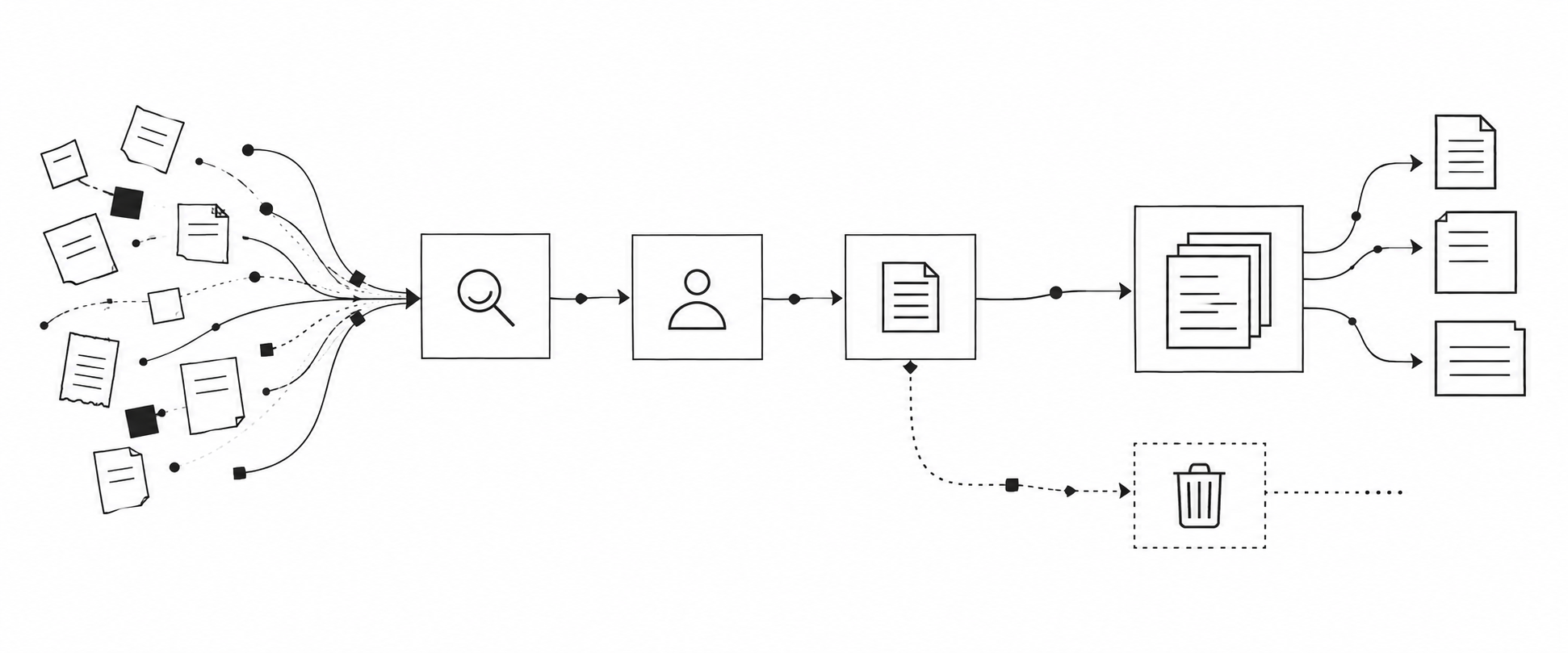
A reusable FAQ system introduces responsibility. If an answer appears in five places, a bad answer appears in five places too.
Governance does not need to be heavy, but it should be explicit. Each reusable FAQ should have an owner, a status, and a review rhythm. Editors should know when to create a new FAQ, when to update an existing one, when to retire one, and when a question belongs in an article instead.
A simple operating model might include:
- Capture recurring questions from sales, support, engineering, customers, analytics, and events.
- Assign each question to a topic and owner.
- Decide whether the question is local to one page or reusable across the site.
- Write one canonical answer with optional short and expanded versions.
- Connect the answer to relevant pages through CMS references.
- Review high-risk answers on a schedule.
- Retire outdated answers instead of leaving them visible indefinitely.
The maintenance layer is not separate from the content strategy. It is the part that makes the strategy trustworthy.
A practical Webflow implementation pattern
In Webflow, the implementation can remain fairly lean.
Start by defining the Collections:
- Blog Posts
- Products or Services
- Solutions or Applications
- FAQs, or separate FAQ Collections if the content model calls for it
- Optional supporting Collections such as Topics, Industries, Use Cases, or Documentation Resources
Then add reference relationships where the questions need to appear. A Blog Post might have a multi-reference field for supporting FAQs. A Product might have a multi-reference field for relevant technical or service FAQs. A reusable FAQ might also reference related products, services, articles, or solution pages.
On the design side, create a reusable FAQ component pattern. On each template, place a Collection List connected to the appropriate reference or filtered relationship. Keep the visual pattern consistent, but allow the editorial selection to change by page type.
A typical page pattern might look like this:
- A product page displays selected reusable FAQs related to installation, compatibility, specifications, service expectations, or support.
- A solution page displays FAQs tied to use case, environment, regulation, or buyer concern.
- A blog article displays a small set of supporting FAQs that clarify the article's topic.
- A resource hub displays curated FAQs by topic, not an unfiltered archive of every question.
For schema, use restraint. Webflow now provides a page-level Schema markup field, including support for Collection pages, but its documentation notes that reference, multi-reference, and multi-image Collection fields are not supported in schema markup. If structured data is used, it should be tested and maintained as part of the page template, not treated as the center of the FAQ strategy.
Relevant Webflow documentation:
The useful question is not "Do we need an FAQ page?"
An FAQ page may still have a place. Some organizations need a central support entry point, onboarding resource, policy reference, or technical knowledge hub. But that should be a designed destination, not an archive created because FAQ items exist in the CMS.
The better question is: where should each answer help someone make progress?
Sometimes the answer belongs near a product specification. Sometimes it belongs inside a technical article. Sometimes it belongs near a quote request or contact form. Sometimes it belongs in documentation. Sometimes it should not be public at all.
When FAQs are treated as static page elements, those decisions happen locally and inconsistently. When they are treated as a contextual content system, the site can place answers where they are useful, preserve accuracy over time, and connect related knowledge without asking editors to rewrite the same thing again and again.
The visible result may still look simple: a few questions and answers in the right place.
The difference is that the simplicity has structure behind it.
This is the same pattern this site’s own FAQ system uses: one shared collection, filtered contextually per page, with owner, status, and review-date fields to keep answers current. If you’re weighing whether your own FAQ content needs similar structure, we’re happy to talk through what that would look like for your site.